
Editing underwater photos and video: why it's half the picture

You come back from an incredible dive. Underwater, the reef was an explosion of oranges, reds and yellows. You open the photo on your computer and everything is blue. Or green. Or grey. Flat, dull, lifeless.
And you think you did something wrong: that you need a new camera, a new housing, a new lens.
Almost never. The problem isn't your gear or your technique: it's the water. And it has a fix, but only if you know it exists and how to apply it.
In this article we explain why underwater photos and videos need editing, what can really be recovered, what can't, and where the line between correcting and manipulating sits.
What your camera saw isn't what you saw
Water doesn't let all colours through equally. It absorbs light selectively, starting with the warm end of the spectrum:
Colour | Starts to fade | Practically gone |
Red | First few metres | Around 5 m |
Orange | From ~5 m | Around 10-15 m |
Yellow | From ~10 m | Around 20-25 m |
Green and blue | Much deeper | The last to disappear |
Approximate figures in clear water. With low visibility, particles or plankton, it happens sooner.
That's why at 15 metres a red coral looks black or brown. And why what reaches your sensor is mostly blue and green.
One detail many people don't know: your brain corrects colour in real time, and your camera's sensor doesn't. You saw a colourful reef because your vision compensates for the blue cast. The camera recorded what physically reached it. Both things are true at once, and editing is the bridge between them.
A strobe or video light brings back the real colour, but only as far as its light reaches, usually a metre or two. Everything outside that radius stays blue.

Editing isn't cheating
It's the most common objection: "isn't editing just faking the photo?"
It depends on what you do. The difference is clear:
Correcting (accepted) | Manipulating (not) |
White balance and colour | Adding, removing or moving animals |
Exposure and contrast | Cloning elements to improve the composition |
Removing particles and backscatter | Combining photos from different moments as if they were one |
Cropping and levelling | Creating a scene that never existed |
Noise reduction | Altering what really happened |
The practical rule: editing should bring back what was there, not invent what wasn't.
Two important caveats. First, no edit replaces ethics underwater: you never handle, chase or stress an animal to get the shot and then "fix it" on the computer.
Second, photo contests usually have their own rules about which adjustments they allow, so check them before submitting anything.

RAW or JPEG: how much information you're gambling with
If your camera allows it, shoot RAW. The difference is huge:
JPEG: the camera processes the image and discards information. The white balance is baked in and there's far less room to change it afterwards.
RAW: keeps all the unprocessed sensor data. You can change the white balance, recover highlights and shadows, and work the colour with much more latitude.
In underwater photography, where you almost always have to rebuild the colour, working in JPEG means starting with one hand tied behind your back. RAW files are bigger, but they're what makes everything else possible.
What can be recovered and what can't
Here it pays to be honest, because editing doesn't work miracles.
What recovers well:
The blue or green cast, with a good white balance.
Exposure, contrast and clarity.
The colour of close, well-lit subjects.
Isolated particles and backscatter.
Framing and horizon.
What can't be recovered (or barely):
Blurred or out-of-focus shots.
Completely blown highlights.
Distant subjects with a lot of water in front of them.
Heavy backscatter.
A composition that didn't work.
Editing amplifies a good shot; it doesn't rescue a bad one. That's why the two halves work together: shooting well and editing well. If you want to improve the first, we have our guide to photographing marine wildlife underwater and the one on how to choose your first underwater camera.
Video gets edited too
Everything above applies equally to video, with an added difficulty: a clip has thousands of frames, and light and colour change with depth while you're recording.
An uncorrected underwater video has the same problems as a photo: blue cast, low contrast, washed-out colours. And they're fixed with the same ideas: white balance, exposure, contrast and colour. With a good starting point, a clip goes from "memory recording" to something that's a pleasure to share.
The key is the same as in photography: record at the highest quality your camera allows, so you have room to work when it's time to edit.
Automatic vs manual editing: where "one click" falls short
There are apps, filters and presets that correct colour with a single tap. They're useful, especially to get started or to quickly preview how a shot could look. But they have a structural limit: they apply the same logic to every image, and no two underwater photos are alike.
Depth, water clarity, time of day, distance to the subject and whether you used artificial light all change. A typical example: a strobe-lit subject against blue water. An automatic correction that pushes red across the whole image fixes the background but leaves the subject reddish and oversaturated. Correcting the two areas separately takes judgement and local tools.
Presets are a good starting point. Knowing what each adjustment does is what lets you fine-tune each photo with intent and stop depending on the automatic correction getting it right.
The workflow in four steps
A clear order keeps you from getting lost among the sliders:
Select. Before editing anything, choose your best photos. Editing 300 mediocre images is the fastest way to burn out.
Correct the base. Crop, white balance, exposure and contrast. This is the part that changes the image the most.
Work colour and subject. Adjust hues and saturation selectively and use masks to treat the subject and background separately.
Clean and export. Remove particles and backscatter and export according to the destination: social media, web and print don't need the same thing.
The most common mistakes when starting out
Oversaturating. Vivid colour is the goal, false colour isn't. If the coral looks neon, you've gone too far.
Pushing red too hard. Recovering warm tones is right, but too much gives magenta skin and backgrounds that look unconvincing.
Overusing clarity and dehaze. It creates halos and a harsh, artificial look.
Raising exposure a lot on noisy photos. Brightening a dark shot also amplifies the noise.
Editing without a reference. A very bright or uncalibrated screen will fool you. Always compare against the original image.
Not being consistent across a series. Photos from the same dive should look like they were taken on the same day.
How to learn it: the BTO editing course
All of this can be learned on your own, but through trial and error, and it's easy to pick up bad habits that are hard to undo later.
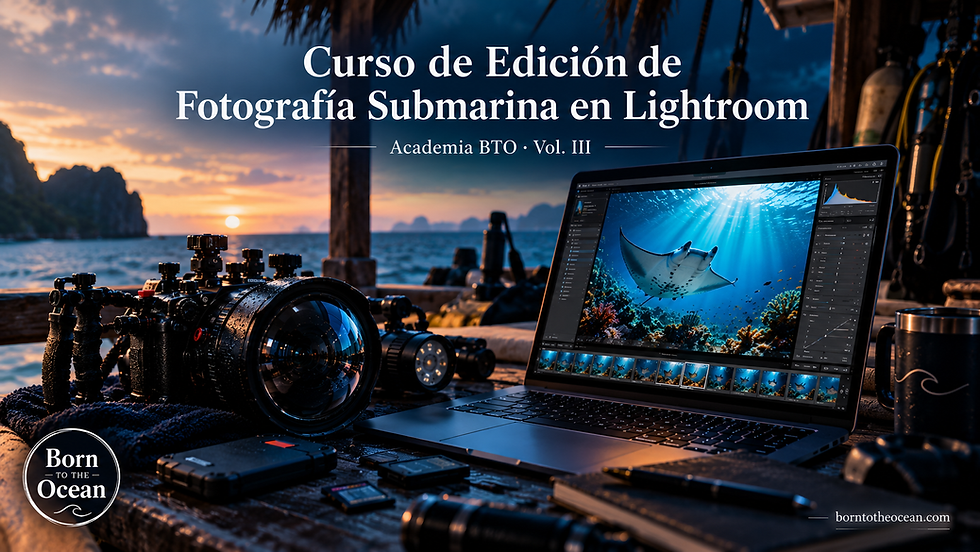
That's why we created the Underwater Photo and Video Editing Course in Adobe Lightroom, an online course in Spanish designed by divers and focused on the specific problems of a photo taken underwater: white balance, colour correction, backscatter and a complete professional workflow.
9 modules, from the Lightroom interface to the final project.
At your own pace, no deadline. Some people finish it in a weekend, others work through it between trips.
Lifetime access, including future content updates.
All you need is Lightroom (the cloud version, with any Adobe Creative Cloud subscription) and your own RAW photos from real dives.
Price: €99.
If your photos keep coming out blue or flat even though everything looked perfect in the water, here is all the course information. And if you have any questions before enrolling, message us on WhatsApp.


Comments